A global atlas of automation exposure.

Compare countries, open profiles, and browse tasks, skills, products, and trade.

World view

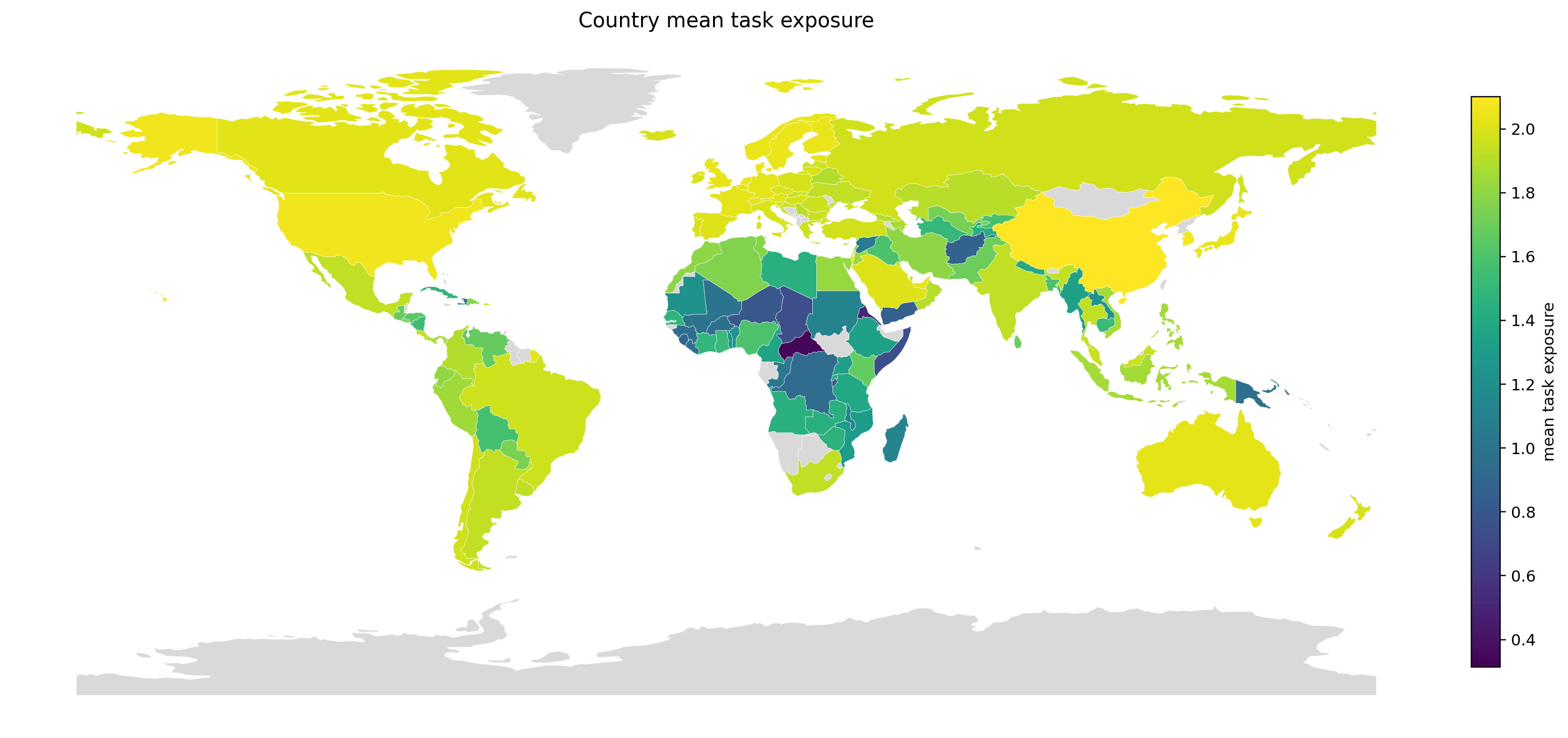
Country hover

Hover or tap a country to inspect the current metric and move into the country surface.

Explorer modes

Choose an entry point.

Start with world comparisons, move into country profiles, or open tasks, skills, products, and trade directly.
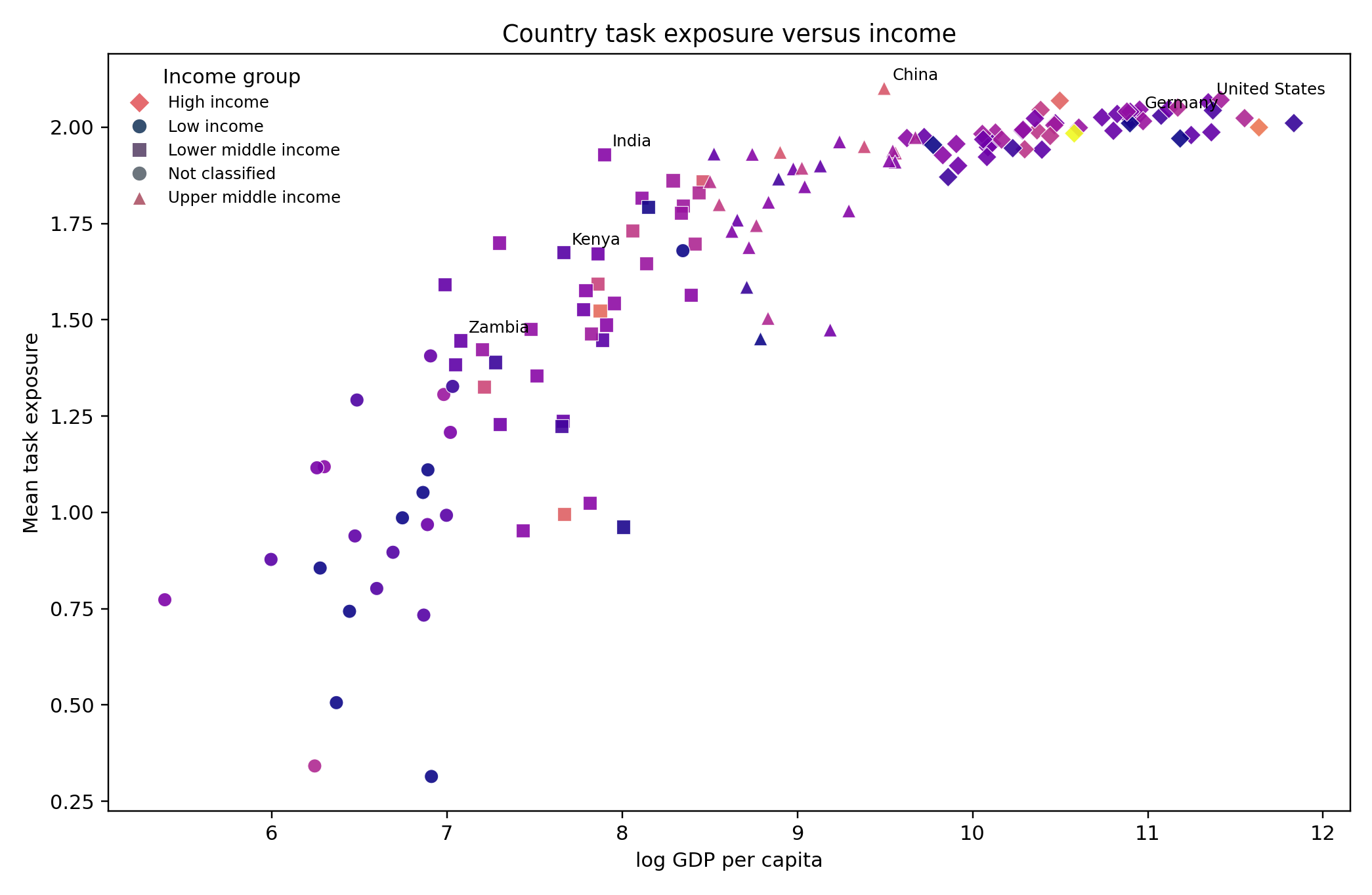
World view preview
World View

Compare countries and benchmarks.

Open the globe or map, benchmark scatter, and compare-country views in one place.

Open page
Country profiles preview
Country Profiles

Open one-country profiles.

Keep the selected country, compare set, and the main panels visible in one page.

Open page
Task-skill graphs preview
Task-Skill Graphs

Browse tasks, skills, and local graph views.

Search tasks and skills, inspect selected ego views, and move into local graph neighborhoods.

Open page
Products and trade preview
Products & Trade

Inspect products and trade channels.

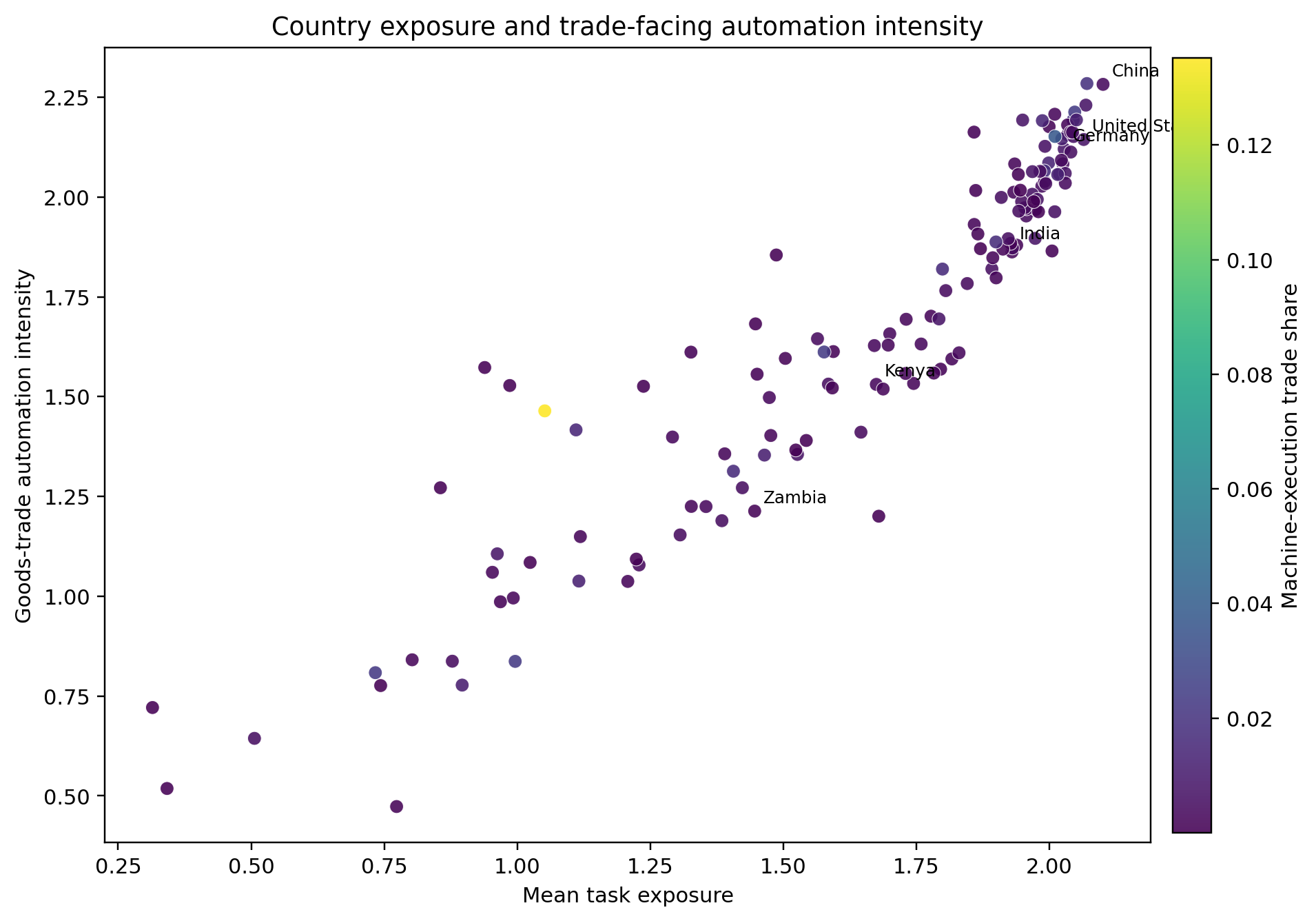
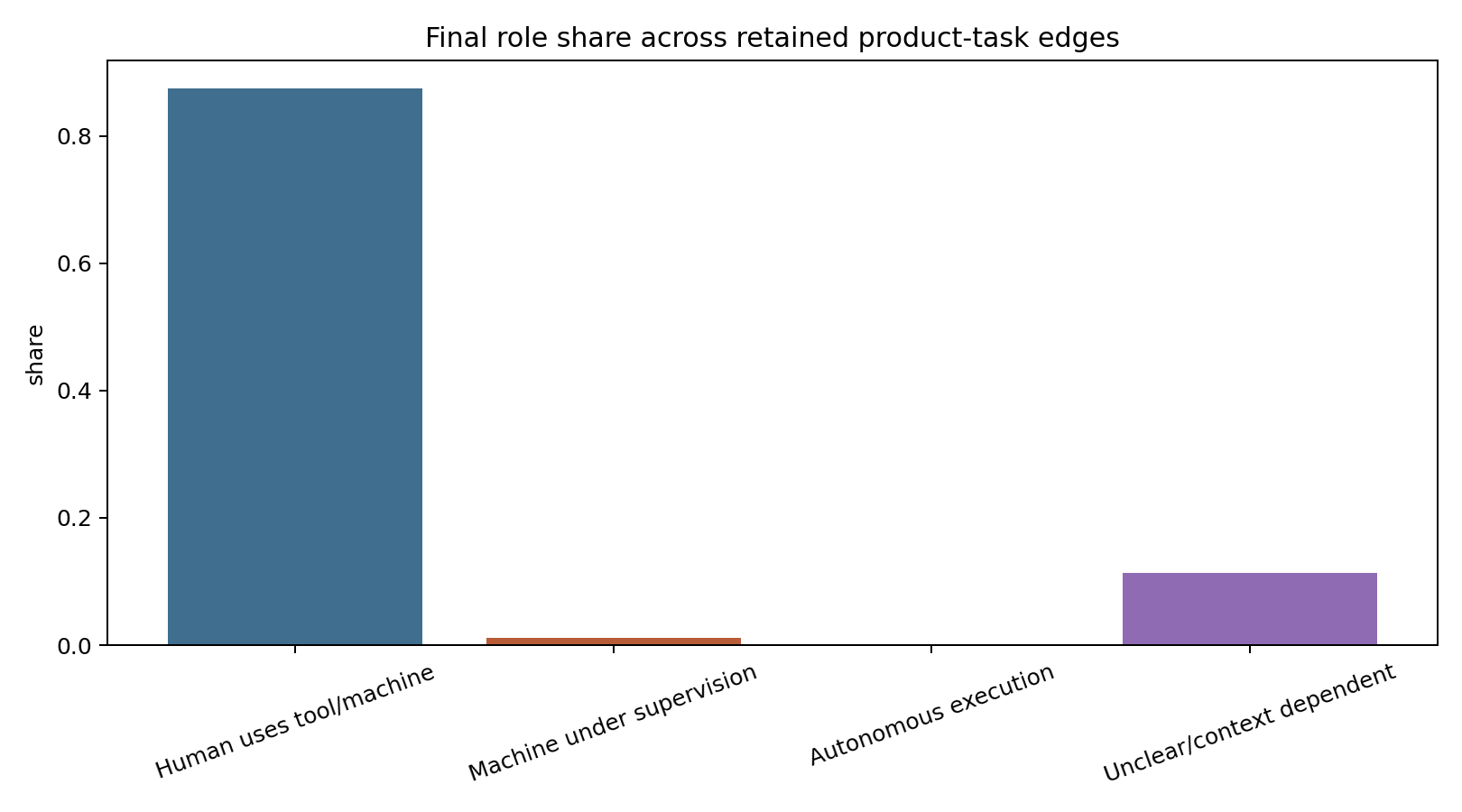
Follow role mix, spotlight interfaces, and country-facing trade views in one mode.

Open page

Task-skill preview

Search tasks and skills without loading the full graph.

A lighter public preview keeps selected neighborhoods, graph views, and direct links close to the main explorer modes.

Task and skill browsing

Open selected local neighborhoods.

The graph page keeps search, selected ego views, and the public comparison summary together in one lighter surface.

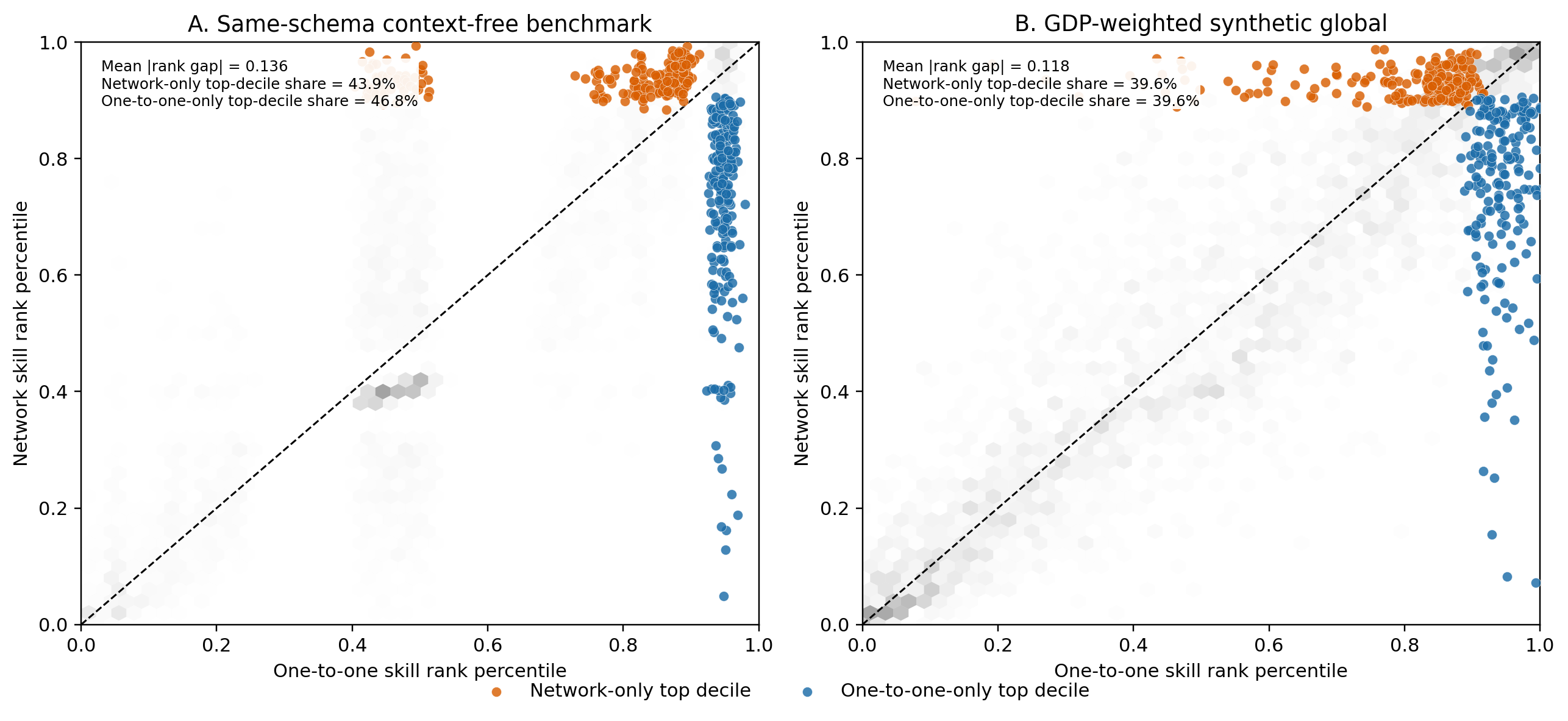
Network-only top decile

39.6%

of the top-decile network skills appear only in the preserved network view.

Mean percentile-rank gap

0.118

between the preserved network summary and a one-to-one compression.

The homepage keeps this compact. The fuller methodological interpretation stays in the paper and the dedicated graph page.

Open task-skill graphs
Task-skill reranking consequence figure
Task-skill preview

Open selected local neighborhoods.

The public graph surface keeps local neighborhoods interpretable and connects them to the broader comparison layer.

Open page

Local neighborhood preview

Deliver scripted lines to bring a character to life

A compact ego view keeps the graph interpretable on the public site without loading the full research network into the browser.

Interactive local graph

Hover nodes or links for more detail. Click an adjacent node to recenter the graph.

Study scripts and rehear…Analyze script character…Rehearse script roles to…Create duplicate recordi…Record commercials for l…Workshop scripts with wr…Collaborate with directo…Skill7 links

This public graph stays local and interpretable. The paper carries the fuller structural argument.

Research and release

Paper, methods, and data.

Keep the manuscript, scope notes, and public bundles close to the explorer pages.
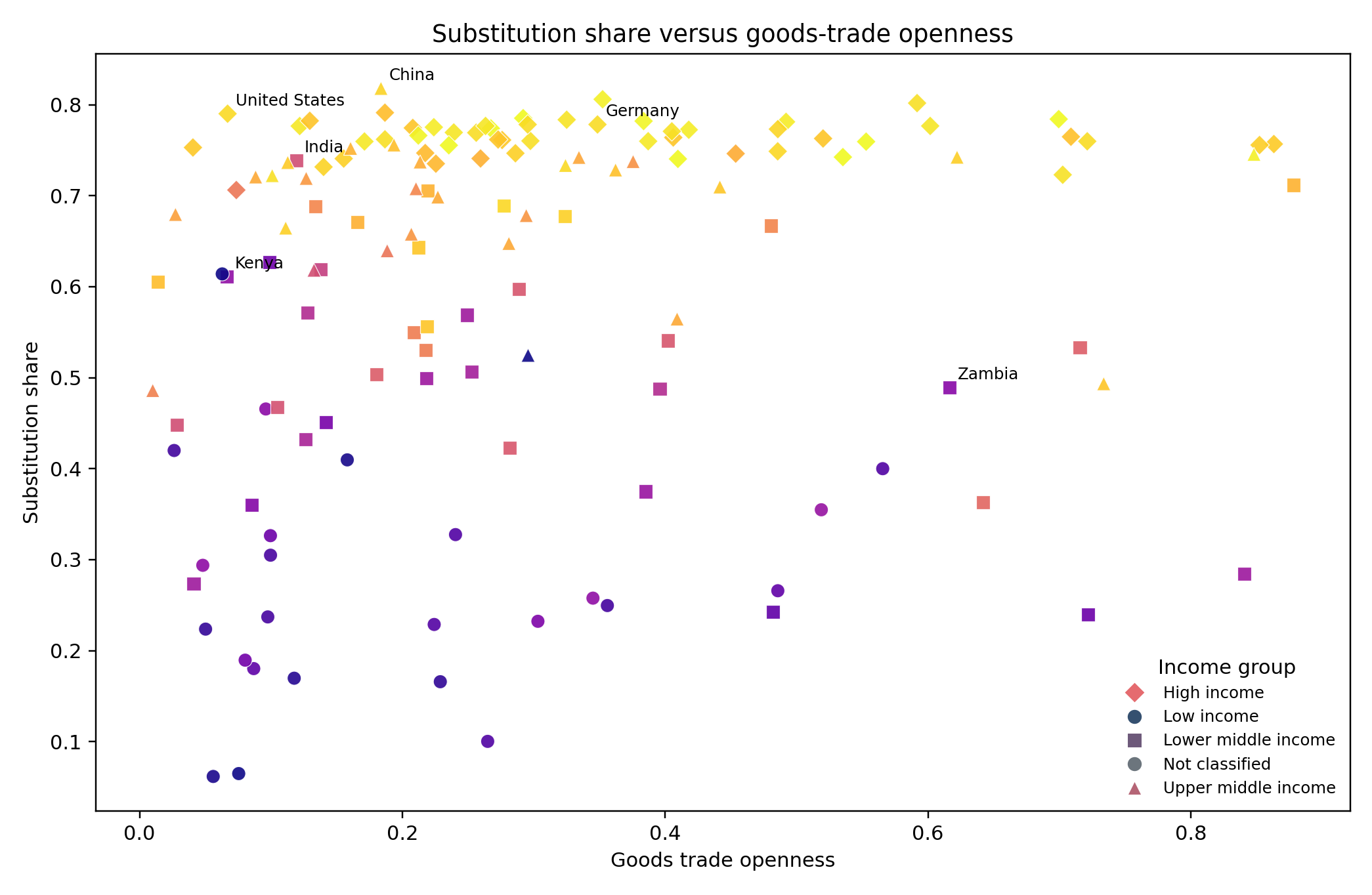
Data tables preview
Data tables

Open public bundles the way WID-style table pages do.

The data tables mode previews the static bundles, offers small chart previews, and keeps the codebook nearby.

Open page
Methods preview
Methods

Keep benchmark language and coverage notes plain.

The methods page explains the current measurement framework, scope boundary, and what the atlas does not estimate.

Open page
Paper preview
Paper

Read the manuscript and supporting figure subset.

The paper page keeps the title, abstract, PDF, selected figures, and Supplementary Materials visible.

Open page